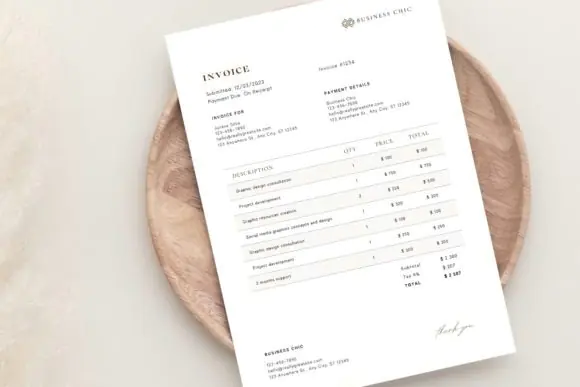
Create elegant, professional, and client-ready invoices with this Luxury Business Invoice Template. This modern minimalist invoice design is perfect for small business owners, freelancers, consultants, photographers, service providers, online sellers, entrepreneurs, and creative professionals who want their billing documents to look polished, premium, and trustworthy.
This editable invoice template is designed for Canva, making it simple to customize even if you have no professional design experience. You can edit the text, colors, business details, client information, payment details, invoice number, service descriptions, totals, and branding in just a few minutes. You can also upload your own business logo and remove any elements you do not need.
The template includes 2 file sizes: A4 and US Letter, making it suitable for both international and standard business printing. Whether you want to send invoices digitally as PDFs or print them for client records, this invoice template gives your business communication a clean and luxury-inspired appearance.
Its minimalist layout helps keep invoice details clear and easy to read while still giving your brand a professional and high-end look. This makes it useful for businesses that want to impress clients while maintaining organized billing records.
What’s Included
What You Can Edit
Perfect For
Why This Template Is Useful
This luxury invoice template helps you create beautiful invoices quickly without starting from scratch. It is simple to edit, reusable, printable, and suitable for digital business communication. With Canva’s easy editing tools, you can personalize the template with your branding and create a professional invoice in just a few minutes.
It is ideal for anyone who wants a clean, modern, and premium invoice design that improves brand presentation and helps clients clearly understand billing details.
Important Note
This is a digital Canva template. You will need a free Canva account to edit the file. No professional design skills are required.
Published:
Jun 08, 2026 10:38 AM
Category:
Tags: