
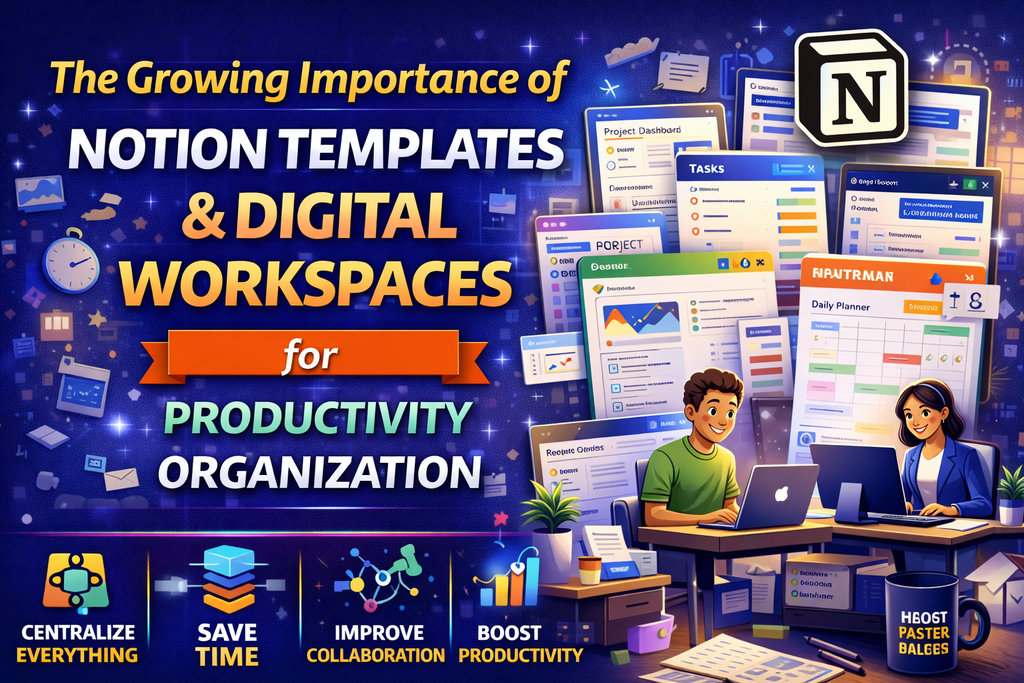
Work, learning, planning, and collaboration have changed dramatically in the digital age. People no longer rely only on paper notebooks, isolated documents, or scattered apps to manage their responsibilities. Instead, they increasingly need connected systems that help them organize information, track tasks, manage projects, and collaborate in one place.
This is where Notion templates and digital workspaces have become especially important.
They offer more than simple note-taking. They help individuals, teams, creators, students, startups, and businesses build structured environments for work and life. A digital workspace can combine planning, documentation, content calendars, project boards, meeting notes, databases, goal trackers, and knowledge systems in one connected setup. Notion templates make this process faster by providing ready-made structures that users can customize instead of building everything from scratch.
That combination of flexibility and structure is a major reason these tools continue to grow in relevance. In a world filled with scattered information and constant digital activity, people need systems that reduce chaos and improve clarity.
This article explores the growing importance of Notion templates and digital workspaces, how they are used, and why they have become such valuable tools in modern productivity and organization.
What Are Notion Templates?
Notion templates are pre-built page structures or workspace setups created for use inside Notion. They are designed to help users organize specific types of information or workflows more efficiently.
A Notion template may include:
- Daily planners
- Content calendars
- Habit trackers
- Goal dashboards
- Project boards
- Reading lists
- CRM systems
- Client portals
- Study planners
- Meeting note systems
- Knowledge bases
- Business dashboards
Instead of creating every page, section, and database from nothing, users can start with a structured layout and customize it according to their own needs.
This makes Notion templates practical tools for saving time and improving organization.
What Are Digital Workspaces?
Digital workspaces are centralized digital environments where people manage tasks, information, collaboration, and workflow systems. A digital workspace is more than a single document or app feature. It is a connected system that helps users operate from one organized place.
A digital workspace may include:
- Notes
- Databases
- Schedules
- Task lists
- Project plans
- Team documents
- Resources
- Links
- Reference materials
- Performance trackers
- Workflow systems
The importance of digital workspaces lies in their ability to bring multiple parts of work or life together into one manageable environment.
Why These Tools Matter More Than Ever
Modern life creates an unusual problem: people have more information than ever, but often less clarity.
Tasks may be stored in one app, notes in another, documents somewhere else, and plans in scattered files. This fragmentation creates friction. It slows work down, causes things to be forgotten, and increases mental overload.
Notion templates and digital workspaces matter because they help solve this fragmentation.
They offer:
- Centralized organization
- Better workflow visibility
- Reusable systems
- Easier planning
- Stronger collaboration
- Reduced mental clutter
- Greater control over information
This is why they are becoming increasingly important across personal and professional use.
1. They Help Bring Everything Into One Place
One of the biggest advantages of digital workspaces is centralization. Instead of managing information across many disconnected tools, users can bring key parts of their work or life into one place.
A digital workspace can combine:
- Tasks
- Goals
- Notes
- Documents
- Calendars
- Project plans
- Meeting summaries
- Research
- Resources
- Progress tracking
This helps reduce the confusion that comes from switching constantly between separate systems.
When everything important is easier to find, work becomes easier to manage.
2. Notion Templates Save Time on Setup
Building an organized workspace from scratch can take a lot of time. People often know they need better organization, but they do not always know how to structure it.
Notion templates solve this by giving users a ready-made starting point.
Instead of deciding:
- What pages to create
- How to connect databases
- What sections are needed
- How to structure planning systems
- Where to place tasks and notes
The template already provides a useful framework.
This reduces setup friction and helps users move quickly from idea to action.
3. Digital Workspaces Reduce Mental Clutter
When information is scattered, the mind stays busy trying to remember everything. Deadlines, notes, links, plans, and unfinished tasks can create a constant feeling of overload.
A good digital workspace reduces this mental clutter by acting as an external system.
It helps users know:
- What needs to be done
- What has already been completed
- Where information is stored
- What comes next
- What is important right now
This creates more clarity and can improve focus significantly.
In many cases, the real value of a digital workspace is not only organization. It is mental relief.
4. They Support Better Personal Productivity
Many people use Notion templates and digital workspaces to improve personal productivity. These tools help users build systems for managing their time, goals, habits, and responsibilities more intentionally.
Common personal productivity uses include:
- Daily planning
- Weekly reviews
- Goal setting
- Habit tracking
- Reading logs
- Journal systems
- Personal dashboards
- Time-block planning
- Task prioritization
This makes digital workspaces useful not only for business, but also for personal growth and life management.
5. They Help Teams Collaborate More Smoothly
Digital workspaces are increasingly important for teams because they make collaboration more organized. When documents, notes, decisions, and workflows live in one shared space, teamwork becomes easier.
Teams can use workspaces for:
- Project tracking
- Shared notes
- Meeting records
- Task assignments
- SOP documentation
- Team resources
- Content planning
- Product roadmaps
- Internal knowledge bases
This reduces confusion and makes it easier for team members to stay aligned.
When collaboration is structured, teams spend less time searching for information and more time moving work forward.
6. Notion Templates Help Standardize Repeated Workflows
Many workflows repeat. Content planning, client onboarding, project management, meeting notes, hiring pipelines, and weekly reviews often follow familiar patterns.
Templates help standardize these repeated processes.
This is useful because it creates:
- Faster setup
- Better consistency
- Easier delegation
- Fewer missed steps
- Smoother team processes
For example, a team can use the same meeting note template every time. A creator can use the same content planning dashboard weekly. A freelancer can use the same client project template for every new engagement.
This turns repeat work into repeatable systems.
7. They Make Knowledge Management Easier
Knowledge is often lost when it lives in random chats, documents, or forgotten folders. Digital workspaces help preserve and organize knowledge so that it remains useful over time.
This is especially important for:
- Companies storing internal processes
- Students organizing research
- Creators managing content ideas
- Startups documenting decisions
- Freelancers keeping client notes
- Teams storing resources and playbooks
A digital workspace acts like a living knowledge system rather than a pile of disconnected files.
That is one reason these systems are becoming more important as work becomes more information-heavy.
8. They Help Individuals and Teams Build Custom Systems
One reason Notion templates are so popular is flexibility. People do not all work in the same way, and one rigid productivity system does not fit everyone.
Notion templates help because they can be customized.
A user can adapt a template for:
- Study planning
- Business operations
- Content creation
- Client management
- Personal productivity
- Startup workflows
- Reading and note-taking
- Goal and life planning
This makes the tool feel more personal and more practical. Users can shape the workspace around real needs instead of forcing themselves into a system that does not fit.
9. Digital Workspaces Support Remote and Hybrid Work
As remote and hybrid work have become more common, the need for centralized digital systems has grown. Teams working across locations need shared places for information, progress tracking, and planning.
Digital workspaces help remote teams by offering:
- Shared visibility
- Central documentation
- Easier asynchronous work
- Clear project status
- Better team communication support
- Reduced dependency on memory or meetings alone
This makes them especially useful in modern work environments where not everyone is operating from the same physical office.
10. They Improve Visibility Into Work and Progress
One practical reason digital workspaces matter is visibility. They help users see the state of their work more clearly.
For individuals, this may mean seeing:
- Daily priorities
- Goal progress
- Habit streaks
- Weekly tasks
- Upcoming deadlines
For teams, it may mean seeing:
- Active projects
- Ownership of tasks
- Status updates
- Documentation progress
- Campaign timelines
This visibility helps users make better decisions because they can actually see what is happening rather than guessing.
11. They Help Creators and Entrepreneurs Stay Organized
Creators and entrepreneurs often juggle many responsibilities at once. Content, planning, business tasks, ideas, launches, partnerships, and customer-related work can quickly become scattered.
Notion templates and digital workspaces help by providing one place to organize:
- Content calendars
- Brand resources
- Product ideas
- Launch plans
- Client work
- Revenue trackers
- Marketing systems
- Idea databases
This makes these tools especially attractive for solo creators, founders, and digital businesses that need lean but powerful systems.
12. They Can Grow With the User
Another important reason these tools matter is that they are scalable. A simple workspace can begin as a personal planner and later expand into a more complete system.
For example, a workspace might begin with:
- Daily tasks
- Notes
- Goals
And later grow into:
- Project dashboards
- Linked databases
- Team systems
- Client portals
- Content planning
- Business documentation
This growth potential makes Notion templates and digital workspaces useful across different stages of personal and professional development.
Common Uses of Notion Templates and Digital Workspaces
These systems are used in many different ways.
For students
They help with study planning, subject notes, assignment tracking, revision systems, and academic organization.
For professionals
They support task management, meeting notes, project tracking, and workplace organization.
For entrepreneurs
They help with business systems, launch planning, CRM tracking, and operational structure.
For content creators
They support editorial calendars, idea databases, script planning, posting schedules, and brand management.
For teams
They help with collaboration, documentation, workflows, and knowledge sharing.
For personal development
They support goals, routines, habits, journaling, and life planning.
This broad usefulness is a major reason these tools continue to grow in importance.
What Makes a Good Notion Template?
Not every template is equally helpful. A strong Notion template should be useful, clear, and easy to navigate.
The best templates usually have these qualities:
Clear purpose
The user should understand what the template is meant to help with.
Simple organization
It should not feel overwhelming or messy.
Easy customization
Users should be able to adapt it without breaking the system.
Practical workflow structure
It should support real repeated tasks or planning needs.
Visual clarity
Pages and sections should be easy to scan and understand.
Real value
It should make work easier, not just look impressive.
A template is most powerful when it supports consistent use.
What Makes a Good Digital Workspace?
A good digital workspace should feel like a system, not a storage pile.
Strong digital workspaces usually provide:
- Clear navigation
- Organized information layers
- Logical relationships between pages or databases
- Practical day-to-day usefulness
- Easy updating
- Good balance between simplicity and depth
The best workspaces reduce friction. They do not create more of it.
Challenges to Keep in Mind
Notion templates and digital workspaces are useful, but they can also become overly complicated if not used thoughtfully.
Common mistakes include:
- Building systems that are too complex
- Over-customizing everything
- Creating pages that never get used
- Tracking too much unnecessary information
- Spending more time organizing than doing real work
The best workspace is not the most advanced one. It is the one that actually helps the user stay clear and productive.
Do These Tools Replace Good Thinking and Execution?
No. A workspace cannot replace discipline, strategy, or action. It cannot make decisions for the user or automatically solve deeper productivity problems.
What it does is support better thinking and execution by reducing disorganization and making work easier to manage.
In that sense, Notion templates and digital workspaces are support systems, not substitutes for action.
Why Their Importance Will Keep Growing
As work, learning, and planning continue to become more digital, the demand for organized digital systems will only increase.
People need better ways to:
- Manage information
- Track projects
- Reduce digital clutter
- Collaborate remotely
- Organize knowledge
- Build repeatable workflows
- Stay productive without overwhelm
Notion templates and digital workspaces answer these needs well. That is why their importance is likely to keep growing across education, business, creativity, and personal productivity.
Final Thoughts
The growing importance of Notion templates and digital workspaces comes from one simple reality: modern life creates too much scattered information, and people need better systems to manage it.
These tools help individuals and teams bring work into one place, reduce mental clutter, save setup time, improve planning, and create stronger workflows. Notion templates provide a faster starting point. Digital workspaces provide an ongoing system for clarity, collaboration, and progress.
For students, professionals, creators, entrepreneurs, and teams, this combination can make a major difference in how work is organized and how effectively it gets done.
In a world full of digital noise, structured digital workspaces are becoming more than useful. They are becoming essential.
Comments (0)